|
how to startLet�s start with this statement. You don�t need any fancy software to do this. If you are running a windows based machine all you need is notepad, this program in automatically installed by Windows and a Web Browser. If you are running a Macintosh than all you need are Simple Text that is also automatically installed by the operating system and also a Web Browser. It is also recommended that when you are scripting a page you view the page on multiple browsers. That is so you can see the difference between the browsers. Because remember there is more than one browsers. definitionThe best and easiest explanation is from the O�Reilly Book series. The book is titled HTML & XHTML: The Definitive Guide. HTML is a document-layout and hyperlink-specification language. It defines the syntax and placement of special, embedded directions that aren�t displayed by the browser, but tell it how to display the contents of the document, including text, images, and other support media. The language also tells you how to make a document through special hypertext links, which connect your document with other documents�on either your computer or someone else�s, as well as with other Internet resources, like FTP. writing a basic html pageWriting a basic html page is not very hard all it takes is som basic tags (they are explained in this section or
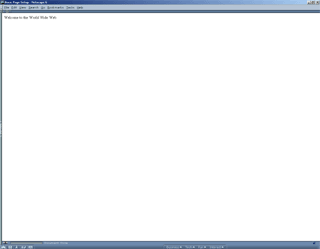
in the basict tags section). <html><head><title> Basic Page Setup </title></head><body>Welcome to the World Wide Web</body></html>And this is what is would like after scripting that code.
What the tags meanThis statement needs to be remembered, but will be noted when it dose not need to be used. All tags like <html> tag needs to be closed. By that you need to after all the content for that tag is complete, then you put a front slash in front of the word. So in our case it would look like this </html> tag. So know the <html> tag is closed. The <html> tag defines the whole page as you can tell from the basic page setup. It starts and ends the whole scripting part. Without this tag the browser wouldn�t know what to do with the script it was given to open. The <head> tag can hold much more than what was shown. But that is not a concern right now. The only tag that is inside the <head> tag is the <title> tag. Putting tags inside other tags is called nesting and you can almost nest all tags. the <title> tag allows you to put what the page is up in the title bar. The tag that holds all the content is the <body> tag. All the content for the web page goes in between these tags, <body> and </body>. |